The choice between SXM and PCIe? No one ever disagrees here.
They spend weeks agonizing over whether to use H100 or A100, but make the decision to choose a form factor in four seconds based on which happens to be a little cheaper hourly rate. The four seconds that quietly break the budget do it in two ways: some companies pay for extra hardware they don’t use, while others save money and get stuck with the training taking twice as much time.
The truly odd part about this situation is the fact that it’s the same chip inside. H100 SXM and H100 PCIe use the same GH100 silicon, the same TSMC manufacturing process, the same 80GB of RAM. The only thing that changes is how the chip talks to other chips.
I aggregated pricing and technical specifications from 150+ suppliers, and this is one of the most frequent sources of overpayment that goes unnoticed.
The AI Compute Threshold Report
We analyzed pricing from 150+ GPU cloud providers to find the exact threshold where an AI startup's OpenAI API bill eclipses the cost of a dedicated H100 cluster.
Read the Full ReportWhat SXM vs PCIe really is
Forget about the marketing fluff. It boils down to one thing – the interface of connection between the GPU and the rest of the system.
PCIe is the standard slot. Same as for your graphics card, only this time on a server. Universal, unexciting, works everywhere.
SXM is a special socket developed by NVIDIA. The GPU is mounted right on an HGX board, so that eight GPUs can be interconnected through NVLink.
And that’s pretty much it. Here’s why it’s important:
| – | H100 PCIe | H100 SXM5 |
|---|---|---|
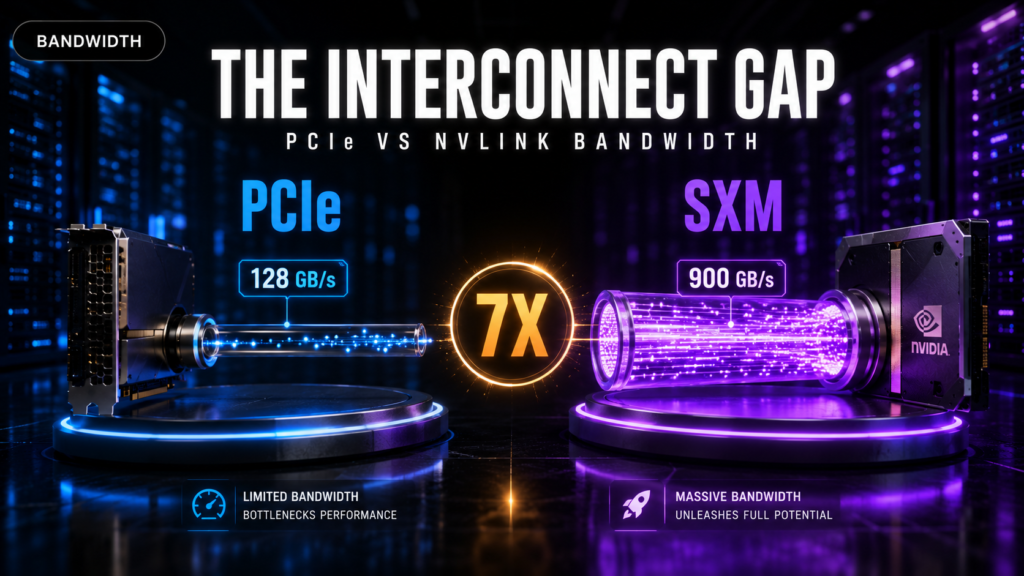
| GPU-to-GPU bandwidth | ~128 GB/s | 900 GB/s |
| Memory | HBM2e, ~2 TB/s | HBM3, ~3.35 TB/s |
| Power draw | 350W | 700W |
| Multi-GPU mesh | None (bridge pairs only) | All 8, fully connected |
| Fits in | Any standard server | HGX/DGX only |
Difference in throughput of interconnect is 7 times. And it is scalable. You should synchronize your gradients on all your GPUs at each training step. Scale them to thousands and your 7 times slower interconnect becomes additional hours and even days for you.
Scalability efficiency: this is where you pay your money
Here is a basic concept explaining everything and almost never talked about.
Having double the number of GPUs doesn’t mean you’ll become two times faster. Having eight GPUs makes you not 8x faster but 8x slower whatever percentage of time your GPUs spend exchanging data with each other. This phenomenon has a name – scaling efficiency.
It is bad. GPU systems using PCIe interconnect scale with about 0.75x efficiency, which means that there is 25% inefficiency in their scaling. GPU systems using NVLink scale with about 0.92x efficiency, which means that there is only 8% inefficiency. In other words, highly efficient systems can scale up to 85-95% of optimal scaling efficiency. Systems connected through PCIe are much worse in this regard.
Let’s calculate the numbers and be surprised:
| GPUs | PCIe effective speedup | SXM effective speedup |
|---|---|---|
| 2 | ~1.8x | ~1.9x |
| 4 | ~3.0x | ~3.7x |
| 8 | ~5.2x | ~7.2x |
Two GPUs – no difference. Eight – you’re wasting the computing power of about two whole GPUs in terms of PCIe. In other words, you’re paying for eight GPUs but receiving the capacity of five.
The reason is the all-reduce phase during which GPUs exchange their gradients. In case of 8-GPU SXM node that uses NVSwitch interconnect technology, this operation is almost cost-free. For 8 PCIe GPUs, however, this can constitute 30 to 40 percent of each training process for large-scale model. Your Tensor Cores will have to sit and wait for the bus.
That’s precisely how “poor scaling beyond 2 to 4 GPUs” always gets into benchmarks. Not surprising at all. Interconnect.
Three ways in which the budgetary constraints are being violated
Trap 1: Payment of SXM premium for tasks which do not require it. The use of SXM setup comes at an estimated hourly premium of $0.40 to $0.50 per GPU. Price comparison shows that while the price of the H100 PCIe from GMI Cloud is $2.00 per hour, SXM charges $2.40 per hour. Tasks like single-GPU inference, LoRA or QLoRA fine tuning, or batch tasks without the need for synchronization between GPUs have nothing to gain from the NVLink mesh.
Trap 2: 8-GPU Node Tax. The real limitation that exists is trap 2 and is usually unnoticed. All vendors sell SXM configuration only in entire 8-GPU nodes. For example, Lambda sells only one H100 PCIe but not H100 SXM which can be rented individually and it is provided only as 8-GPU node. Thus, if the job needs 4 GPUs, then the customer pays for 8 GPUs. In other words, costs per job get doubled, regardless of the hourly cost which was compared before.
Trap 3: going for a cheap configuration, which causes the training process to become a bottleneck. The alternative point of view is that one should spend less on PCIe and then train using eight cards. However, in reality, clusters running on PCIe become slower when more than two to four cards are used for communication-heavy computations. Computations that take seven days on PCIe can be done in three or four days on SXM. If you calculate it based on your hourly fee, it becomes expensive.
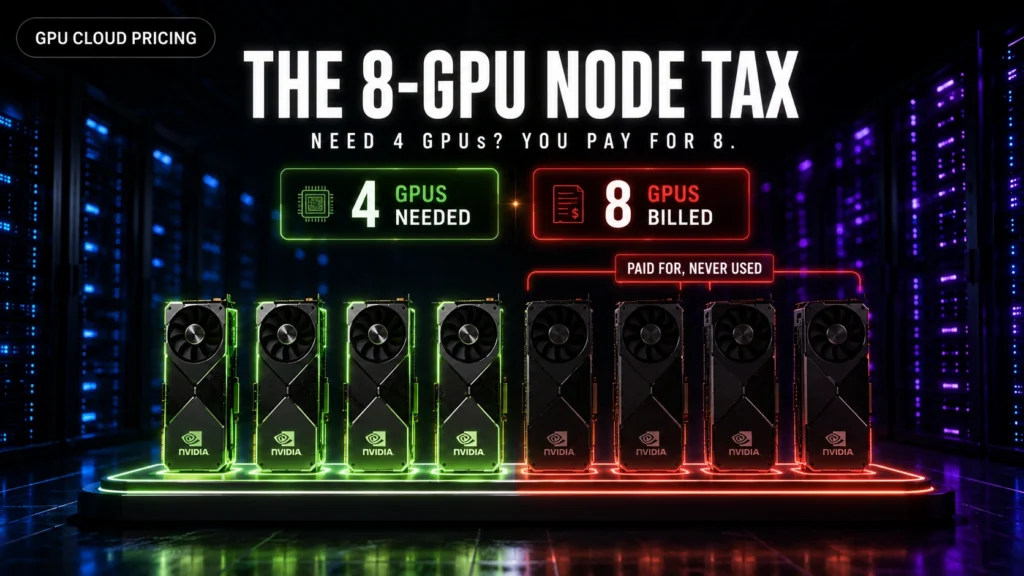
Comparison of 4-GPU and 8-GPU architectures in terms of economics
The result will be scale-sensitive. Let us consider the need for 100 hours of computations on one H100 GPU and compare two cases below:
Architecture with 4 GPUs. Applying 0.75× scaling through PCIe will lead to 3.0× acceleration of computation time and make it equal to 33 hours. The cost will amount to using 4 GPUs at the price of $3.29 per hour in terms of Lambda pricing, i.e., $13.16 per hour or about $438 in total.
Architecture with SXM. Here we also use 4 GPUs; however, since the node has eight GPUs in total, the cost includes payment for the whole node with the price of about $23.92 per hour. Despite the better scaling making the running time equal to 27 hours, the necessity to pay for the whole node leads to the total cost of about $651.
Clearly, PCIe is ahead, especially when talking about large-scale solutions, while the node tax masks the real performance gains.
Let us analyze the case with 8 GPUs. Here we want to use all eight GPUs to their full capacity. PCIe scaling works effectively in 5.2 times, which means that the execution time is 19 hours for $26.32 per hour, making the total cost of $505.
In comparison, an SXM solution delivering 7.2 times effective scaling will take less than 14 hours to finish the job using the node worth $23.92 per hour, which makes the total cost of $332.
Therefore, SXM wins and quite convincingly.
Here lies the key idea behind the article: SXM is not better in every situation but shows more effectiveness at scale. The exact point of crossover, however, is being misunderstood because most companies compare hourly rates instead of the cost of executing the job.
The workload decision matrix
Match the form factor to like what you’re actually doing:
| Workload | Pick | Why |
|---|---|---|
| Single-GPU inference | PCIe | GPUs never talk. NVLink does nothing. |
| LoRA / QLoRA fine-tuning | PCIe | Fits on one card. Save the premium. |
| Batch processing, many isolated jobs | PCIe | Jobs are independent. No sync needed. |
| Full fine-tune, 2 to 4 GPUs | PCIe, usually | Scaling holds up here, and you dodge the node tax. |
| Large-model inference across 2 GPUs | NVL bridge | NVLink speed without a full HGX system. |
| Distributed training, 8+ GPUs | SXM | PCIe scaling collapses. Not really optional. |
| LLM pretraining, multi-node | SXM | NVLink plus InfiniBand. The only real answer. |
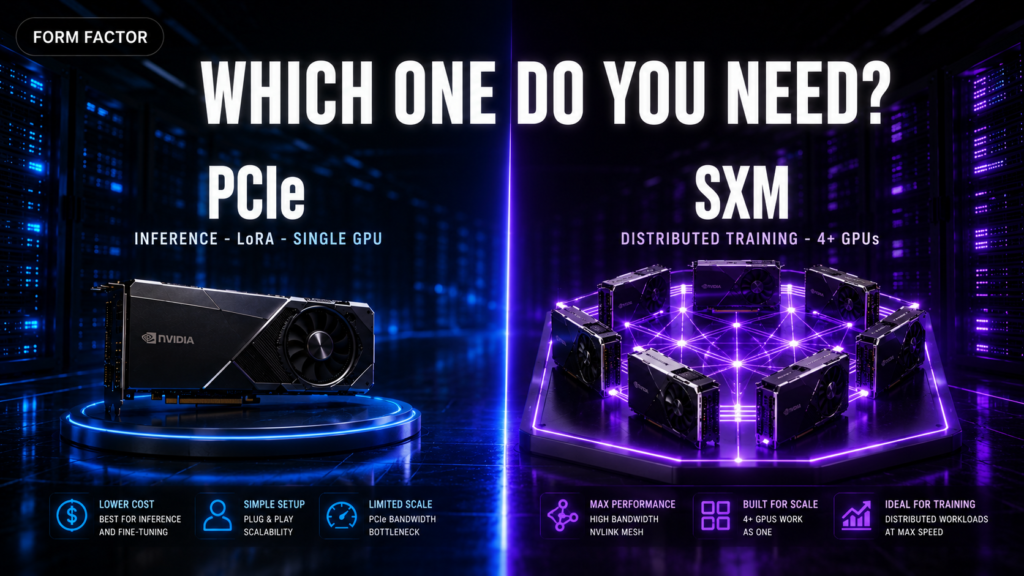
The one-line version: if your GPUs need to talk to each other constantly, then pay for SXM. If they don’t, then don’t.
Unbudgeted power cost
This is usually overlooked when purchasing rather than leasing.
One 8-GPU SXM server uses around 10 kW of power, while its PCIe counterpart uses about 5-6 kW of power. This will incur additional power cost of about $10,000-$13,000 for each server over a period of three years at an hourly rate of $0.10 per kWh, without taking into consideration the additional cost of extra cooling needed to dissipate the excess heat.
One 8-GPU SXM server can utilize the whole power budget of an entire rack, but PCIe servers can fit into old air-cooled data centers.
An intermediate solution not so often discussed
NVL cards represent a middle ground. H100 NVL and H200 NVL are GPUs on PCIe form factor cards which communicate through NVLink Bridges at 600 GB/s speed. They function just like regular air-cooled servers but allow to communicate between two GPUs in NVLink speed without using an HGX board.
This is indeed quite useful when running large models in inference where one GPU doesn’t have enough memory, but we don’t need an entire cluster with eight GPUs.
The drawback is that there is no NVL card for Blackwell from NVIDIA. It’s available only for Hopper.
Direction and implications
The factors that should be considered before the roadmap can be established are: Blackwell is only available in SXM form factor. B200 is used as SXM6, and there is no PCIe version of B200 for frontier training. The PCIe version of Blackwell is RTX PRO 6000 and is meant for inference and enterprise workload rather than training.
NVIDIA has made it quite clear that its strategy is to use SXM form factors for training purposes and PCIe form factors for inference purposes. The difference increases with each new generation.
Pre-rental considerations
- Hourly rate should only be considered following other considerations and not as the first consideration.
- It needs to be determined whether there is a single-GPU setup or a node comprising of 8 GPUs because this will influence the total price more than the hourly rate.
- Whether pricing is for each GPU or node should be determined; if comparison needs to be done, then the price of the node should be divided by 8.
- The connectivity used should be known – NVLink is used for GPU-to-GPU connectivity within nodes and InfiniBand for node-to-node connections. Labeling as 8x H100 is not enough to make the determination.
- One may find out that they are being charged for PCIe as much as SXM would charge. Verify SKU.
- The job should be priced instead of the runtime for checking scaling efficiency.
Do not spend money on a computer connection which will not be utilized
The NVIDIA H100 GPU has a rental price between about $1.38 to above $7.50 per hour depending on the rental website. It becomes confusing when trying to compare SXM to PCIe and end up doubling the amount you pay for training with no reason.
ComputeStacker provides real time prices and features from over 150 providers where users can choose their form factor and check availability.
.Compare GPU prices → Get free quotes in under 2 minutes →
Frequently asked questions
Same GPU chip, different connector. PCIe plugs into a standard server slot. SXM mounts onto an HGX baseboard that wires all eight GPUs directly via NVLink, giving roughly 7x the GPU-to-GPU bandwidth.
Only if your GPUs need to talk to each other. For distributed training across four or more GPUs, easily. For single-GPU inference or LoRA fine-tuning, no. You’d be paying for bandwidth you never use.
Roughly $0.40 to $0.50 per GPU-hour. The bigger cost is that many providers only sell SXM in 8-GPU nodes, so needing four GPUs can mean paying for eight.
Up to a point. PCIe clusters bottleneck badly beyond two to four GPUs on communication-heavy workloads. Past that, SXM is the only practical option.
No. Blackwell data center GPUs are SXM-only. The PCIe Blackwell option is the RTX PRO 6000, aimed at inference rather than large-scale training.
Get personalised, no-commitment quotes from top AI infrastructure providers in under 2 minutes.