Three years ago, if you asked an AI startup where they ran their training jobs, the answer was almost always AWS. Today, that answer is increasingly: “Lambda Labs,” “CoreWeave,” or “RunPod.” The shift is real, accelerating, and driven by cold, hard economics — not hype.
This isn’t a story about AWS being bad. It’s a story about the GPU cloud market maturing so fast that generalist clouds can no longer keep up with the specialized infrastructure needs of AI teams. Here’s what’s actually driving the migration, and what you should know before making the same move.
The AWS GPU Problem Nobody Talks About
AWS offers impressive GPU instances: the p4de (A100), p5 (H100), and Trn1 (Trainium) families are genuinely powerful. But there are three problems that AI teams consistently run into:
1. Price Premium
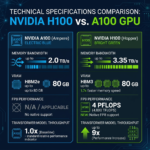
AWS p5.48xlarge — the H100 flagship — runs $98.32/hr on-demand for 8 GPUs. That’s $12.29/GPU/hr. The same H100 SXM5 on Lambda Labs costs $3.11/hr. On CoreWeave, $3.75/hr. Even at 3-year reserved pricing, AWS p5 instances come in around $6-7/GPU/hr — still 2x more expensive than the pure-play providers.
For a startup burning through 1,000 GPU-hours per week, that price difference compounds to over $1 million in annual savings by moving to a specialized provider.
2. Availability Gaps
AWS allocates GPU capacity across thousands of customers with competing priorities. AI teams have repeatedly found that P5 instances have limited on-demand availability outside specific regions. Specialized providers like Voltage Park and CoreWeave built their entire business around maintaining large H100 inventories — it’s their only product.
3. Complexity Tax
AWS’s networking model (VPCs, security groups, NAT gateways, EFS vs EBS vs S3 storage decisions) adds real cognitive overhead for AI teams that just want to train a model. Pure-play GPU clouds strip this back to what matters: fast GPUs, fast storage, fast networking.
What Startups Are Moving To
The migration pattern we see most often at ComputeStacker:
- Research & experimentation: RunPod and Vast.ai (cheapest cost per GPU-hour)
- Production fine-tuning: Lambda Labs (reliability + developer experience)
- Large pre-training runs: CoreWeave or Voltage Park (dedicated clusters)
- EU-based companies: Genesis Cloud or Cudo Compute (GDPR compliance)
Many startups use a portfolio approach: Vast.ai for experiments, Lambda for staging/fine-tuning, CoreWeave for serious pre-training. This “GPU multi-cloud” strategy optimizes costs at each stage of the ML lifecycle.
The Kubernetes Factor
One reason CoreWeave has grown so fast among well-funded AI startups is their Kubernetes-native architecture. Teams already running Kubernetes-based MLOps workflows (Kubeflow, Argo, Ray) can migrate their existing pipelines with minimal changes. CoreWeave’s SUNK (Slurm on Kubernetes) platform even supports traditional HPC job schedulers.
This is genuinely important: the migration isn’t just about renting cheaper GPUs. It’s about finding a provider whose infrastructure philosophy matches how modern AI teams actually work.
The Hidden Cost of Staying on AWS
Beyond the raw GPU hourly rate, there are costs teams often don’t account for:
- Data egress fees: AWS charges $0.09/GB to move data out. A training dataset of 10TB costs $900 to egress — every time.
- Storage overhead: EFS (shared filesystem) pricing adds up fast for large model checkpoints. S3 + training workflow latency is a real bottleneck.
- Spot interruptions: AWS GPU spot instances can be reclaimed with 2 minutes’ notice. Losing 6 hours of training progress because of a spot interruption is painful and expensive.
- Support costs: AWS Enterprise Support is 10% of monthly spend. For teams spending $500K/month on compute, that’s $50K/month just for support.
When AWS Still Makes Sense
To be fair, there are scenarios where staying on AWS is the right call:
- You have significant committed AWS spend credits from a funding deal or AWS Activate
- Your data pipeline is deeply integrated with S3 and other AWS services
- You operate in a regulated industry (healthcare, finance) and need AWS’s compliance certifications
- Your team lacks the DevOps capacity to manage a multi-cloud setup
Even in these cases, many teams are moving inference workloads to cheaper GPU clouds while keeping training on AWS during a transition period.
How to Execute the Migration
Step 1: Audit Your Current GPU Spend
Pull your last 3 months of AWS Cost Explorer data filtered to EC2 GPU instance types. Calculate your effective cost per GPU-hour. This will be your baseline for comparison.
Step 2: Run a Parallel Benchmark
Before committing, run the same training job on your target provider and AWS simultaneously. Measure wall-clock training time, not just theoretical FLOPS. Network and storage latency can significantly affect real-world training throughput.
Step 3: Migrate in Stages
Start with dev/research workloads on the new provider. Then migrate fine-tuning. Finally, move large pre-training runs once you trust the infrastructure.
Want to compare providers side by side before making the jump? Use the ComputeStacker comparison tool to benchmark pricing and specs across all major GPU clouds. Or submit a compute request and receive quotes from multiple providers at once.
Frequently Asked Questions
Is it safe to move AI training workloads off AWS?
Yes. Major specialized GPU cloud providers like Lambda Labs, CoreWeave, and RunPod maintain enterprise-grade security, SOC 2 certifications, and uptime SLAs comparable to AWS for GPU workloads. The key is to vet your provider’s compliance certifications against your requirements before migrating.
How much can I save by moving from AWS to a specialized GPU cloud?
Savings of 50-70% on GPU compute costs are common when moving from AWS on-demand GPU instances to specialized providers. The exact savings depend on your workload, instance type, and commitment level. Reserved pricing on specialized clouds can deliver even greater savings.
Get personalised, no-commitment quotes from top AI infrastructure providers in under 2 minutes.